Learn about Auth0’s implementation of passkeys, a phishing-resistant WebAuthn device credential with advantages over traditional authentication methods.
Passkeys are a secure, passwordless authentication method modeled on the FIDO2 (WebAuthn and CTAP) standards. They have several advantages over traditional identifier/password authentication:
Passkeys let users authenticate with biometrics or device-bound credentials (like a fingerprint, PIN, or pattern), so login is faster and doesn’t require remembering a password.
Passkeys synchronize credentials across devices so users don’t need to re-enroll on each new device.
Passkeys are resistant to phishing because they use public key cryptography, so there are no shared secrets, and the user’s device generates unique keys for every account.
Passkeys support more reliable recovery because the stored credentials can survive the loss of an originating device.
Passkeys bind credentials to a specific domain so users can authenticate across an entire domain with a single passkey.
Auth0 supports passkeys as an authentication method for database connections with three methods of implementation depending on the kind of application:
Universal Login passkeys for web-based applications
Auth0 has a limit of 20 passkeys per user.When you enable passkeys for your database connection, passkeys become available for users during sign-up and login.
Sign-up flow preview
1
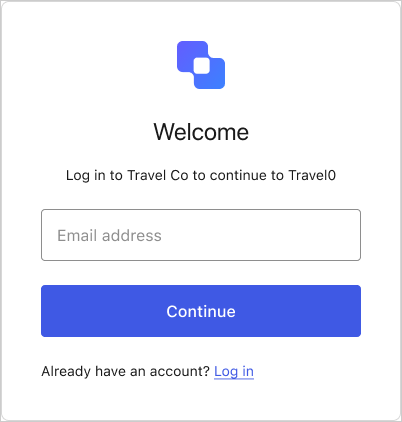
The sign-up UI prompts the user for their email address.
The user enters their email address and selects Continue.
2
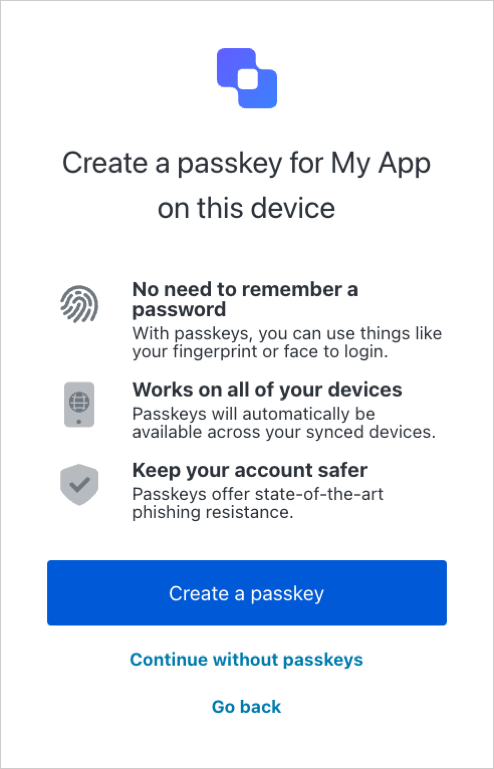
The sign-up UI prompts the user to use passkeys.
The user selects Create a passkey.
3
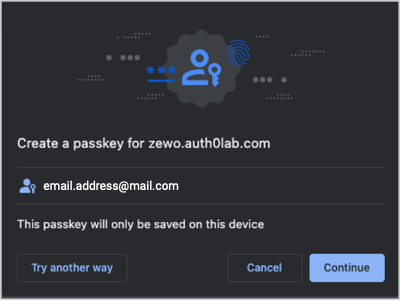
The user's credential manager prompts them to create a passkey.
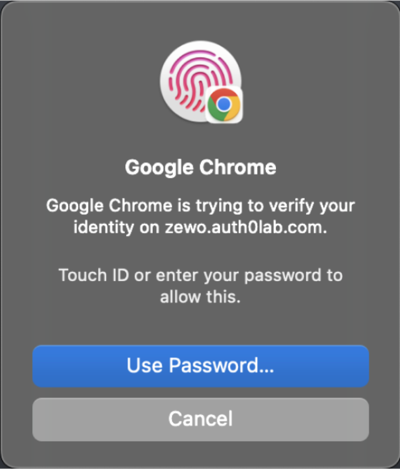
If the user selects Continue, it prompts them to authenticate with their device’s credentials.
Example device credential authentication prompt
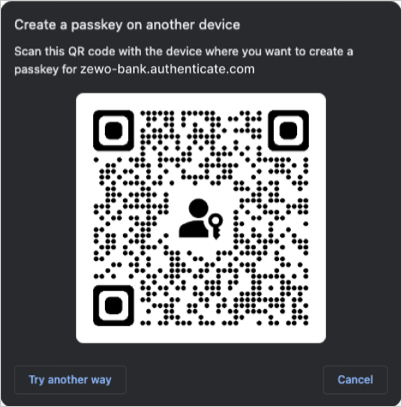
If the user selects Try another way, it prompts them to scan a QR code with the device where they want to create the passkey.
Example QR code
Login flow preview
1
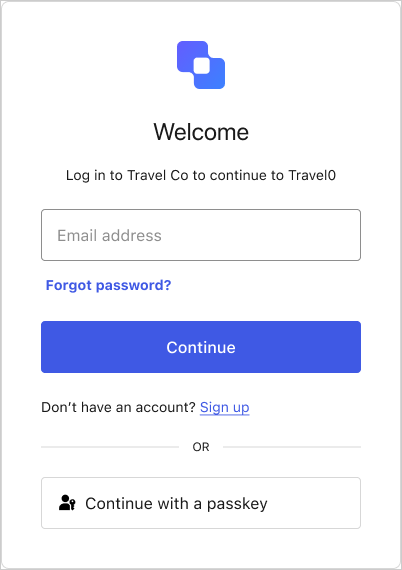
The login UI prompts the user for their email address and/or a passkey.
Your database connection’s passkey policy lets you choose whether the login UI allows autofill, displays the passkey button, or both.
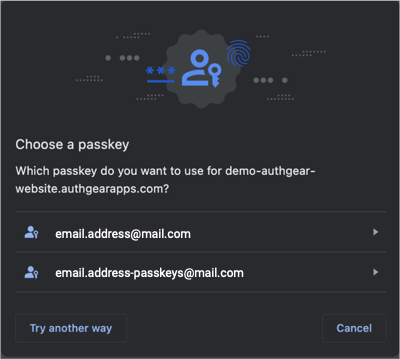
If the user enters their email, autofill suggests their stored passkeys alongside other credentials, like passwords.If the user selects the Continue with a passkey button, their credential manager prompts them to choose which passkey to use.
2
The user's credential manager prompts them to authenticate with their device credentials.
Example device credential authentication prompt
Passkeys do not replace or invalidate a user’s existing credentials. When a user creates their passkey, it is added to their account as an authentication method, but any existing email/username and password credentials remain valid.
Passkeys and passwords can coexist in the same login experience; you can allow end users choose either method. When you enable passkeys on a database connection, password sign-in remains available as long as your connection still allows password authentication.Your database connection’s passkey policy controls how passkeys appear at login:
Autofill (conditional UI): When the end user focuses the email or username field, their credential manager suggests stored passkeys alongside other saved credentials, such as passwords. Users who prefer a password can ignore the suggestion and type their credentials as usual.
Passkey button: The login screen shows a Continue with a passkey button in addition to the standard identifier and password fields, so end users can pick passkeys or fall back to their password.
You can enable autofill, the passkey button, or both. To keep password sign-in available, ensure the connection permits password authentication and configure these options in your connection’s passkey policy. To learn more, read Configure Passkey Policy.
If is enabled, the user may be prompted to complete an MFA challenge after authenticating with a passkey based on settings and risk assessment.The default behavior is to require the completion of an MFA challenge regardless if the authentication method used was a password or a passkey. Given the high level of security passkeys provide, you may skip MFA for users that have authenticated with a passkey in order to reduce friction. This can be achieved by using a post-login Action.To learn more, read Reduce friction with passkeys and Multi-Factor Authentication.
If you have Multiple Custom Domains enabled on your tenant, Auth0 maintains a one-to-one relationship between a domain and the passkey for that domain. Users with a passkey-enabled database can sign up and log in with a passkey, tied to the specific domain it was created on. Users can enroll a passkey for only one domain (the first one they enroll with, among the multiple custom domains on the tenant).For passwordless login, the selected custom domain should be reflected in the Magic Link for the passwordless login flow.
The relying party identifier (RP ID) is a domain that WebAuthn binds to credentials like passkeys. The RP ID defines which request origins are allowed for authentication.
Your application’s domain must be added to the Allowed Origins (CORS) list in your application settings for the RP ID to work correctly.
Defining the RP ID as a suffix of the origin lets users authenticate across subdomains using one passkey. For example, if your web application is served at login.example.com and your native application is served at app.example.com, you can configure the RP ID to example.com so end users can authenticate both applications (and any other example.com subdomain) with a single passkey.
Environment
Root Domain
RP ID
Web
https://login.example.com
example.com
iOS
app.example.com
example.com
Android
assetlinks.json
example.com
With Auth0, you can customize the RP ID to the root or parent domain so users can authenticate on mobile applications or web applications using the same passkey. If you’re using Multiple Custom Domains, you can also set rp.id for each custom domain.To learn how to customize the RP ID, read Configure Passkey Policy.


 If the user enters their email, autofill suggests their stored passkeys alongside other credentials, like passwords.If the user selects the Continue with a passkey button, their credential manager prompts them to choose which passkey to use.