

login-id screen functionality. This screen collects the user’s identifier as the first step of an identifier-first authentication flow. Depending on your tenant, this identifier can be an email, phone number, or username. It also supports passkey login, Federated Identity Providers, and Google One Tap.
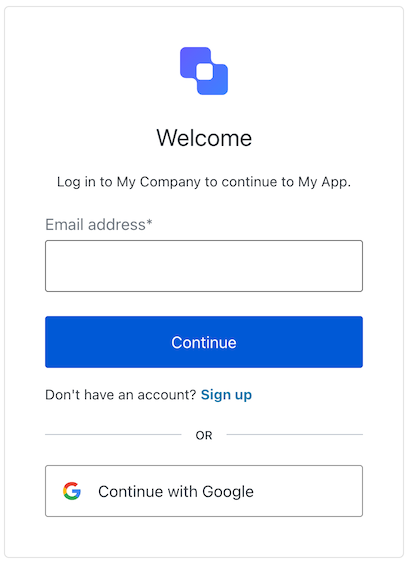
Constructors
Create an instance of LoginId screen manager:Example
Properties
Provides branding-related configurations, such as branding theme and settings.
Provides client-related configurations, such as
id, name, and logoUrl, for the login-id screen.Provides country code data for phone number entry, such as
available and recommended, for the login-id screen.Provides information about the user’s Organization, such as
id and name.Contains data about the current prompt in the authentication flow.
Contains details specific to the
login-id screen, including its configuration and context.Contains data related to the tenant, such as
id and associated metadata.Provides transaction-specific data for the
login-id screen, such as active identifiers and flow states.Handles untrusted data passed to the SDK, such as user input during login.
Details of the active user, including
username, email, and roles.Methods
Promise<void>
This method changes the display language of the Universal Login page.Method Parameters
Example
Promise<void>
This method redirects the user to the Social or Enterprise Identity Provider (IdP) for authentication.Method Parameters
Example
This method retrieves the array of transaction errors from the context, or an empty array if none exist. An array of error objects from the transaction context.
ScreenIdentifierType[] | null
This method gets the active identifier types for the login-id screen.
Example
Promise<void>
This method prompts the user to provide their username.Method Parameters
Example
Promise<void>
This method authenticates the user using the provided passkey and, if successful, redirects them to the Method Parameters
redirect_url.Example
Promise<void>
This method authenticates the user using a Google One Tap credential, enabling one-click sign-in without redirecting to a separate login page.Check Method Parameters
screen.googleOneTapConfig before rendering the Google One Tap prompt — it is null when the feature is not enabled server-side.Example
Promise<void>
This method redirects the user to the country code selection list, where they can update the country code prefix for their phone number.
Example
Promise<void>
This method initializes a passive WebAuthn credential request using Method Parameters
navigator.credentials.get() with mediation: conditional. When supported, this allows the browser to display stored passkeys directly within the username field’s autocomplete dropdown.Example