Learn how the Implicit flow with Form Post works and why you should use it for traditional web apps that need only an ID Token to perform user authentication.
Don’t let the term “implicit” mislead you! Although OAuth now discourages the use of the implicit grant for obtaining access tokens in SPAs, the scenario addressed by Implicit Flow with Form Post is completely different and is unaffected by the security issues that led to discouraging use with SPAs. Specifically, Implicit Flow with Form Post applies to traditional web apps as opposed to SPAs. You obtain ID tokens as opposed to access tokens, which have a completely different intended use. The flow uses POST as opposed to placing tokens in URL fragments (as with SPAs) which can expose token bits to browser history attacks, redirect headers, and so on.
You can use Connect (OIDC) with many different flows to achieve web sign-in for a traditional web app. In one common flow, you obtain an using authorization code flow performed by the app backend. This method is effective and robust, however, it requires your web app to obtain and manage a secret. You can avoid that burden if all you want to do is implement sign-in and you don’t need to obtain for invoking APIs.Implicit Flow with Form Post flow uses OIDC to implement web sign-in that is very similar to the way and WS-Federation operates. The web app requests and obtains tokens through the front channel, without the need for secrets or extra backend calls. With this method, you don’t need to obtain, maintain, use, and protect a secret in your application.
You should use this flow for login-only use cases; if you need to request Access Tokens while logging the user in so you can call an API, use the Authorization Code Flow with PKCE or the Hybrid Flow.
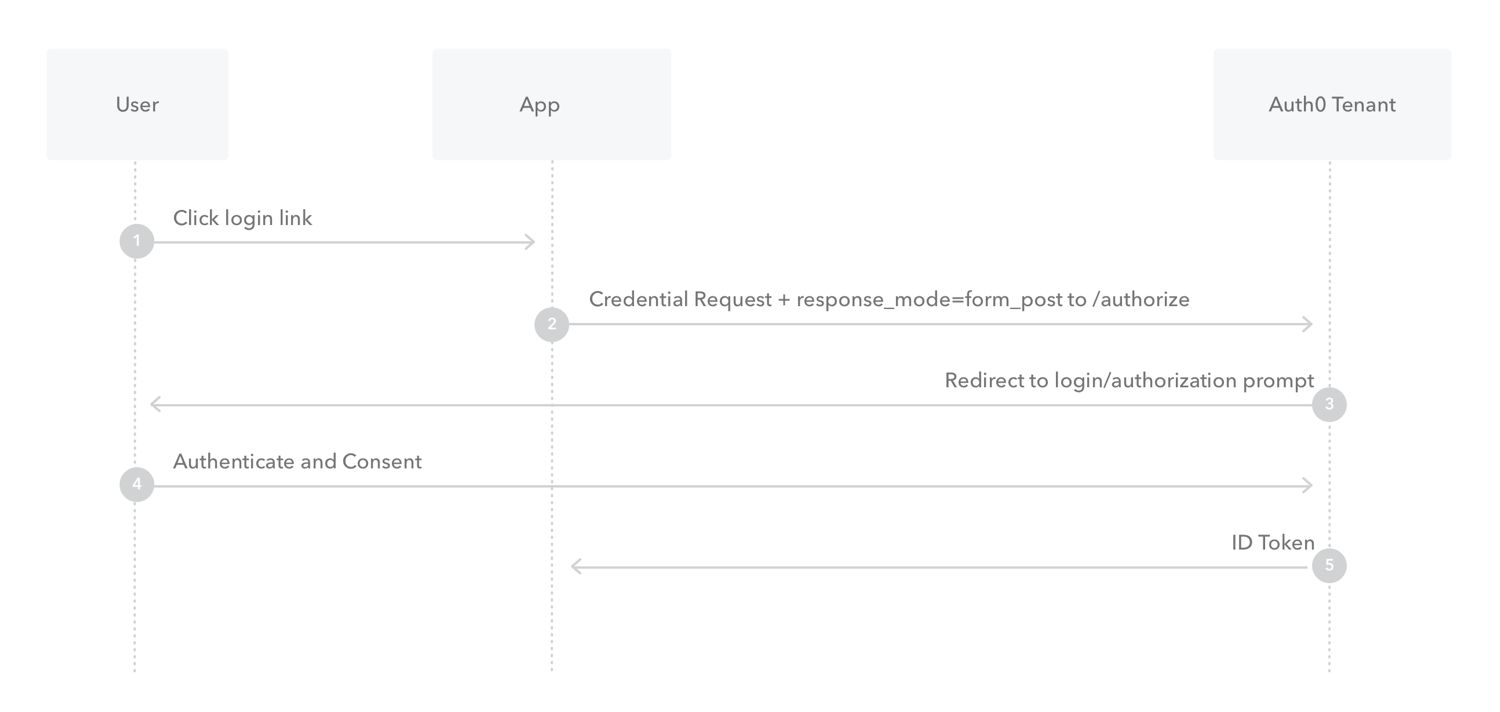
The user clicks Login in the app.
Auth0’s SDK redirects the user to the Auth0 Authorization Server (/authorize endpoint) passing along a response_type parameter of id_token that indicates the type of requested credential. It also passes along a response_mode parameter of form_post to ensure security.
Your Auth0 Authorization Server redirects the user to the login and authorization prompt.
The user authenticates using one of the configured login options and may see a consent page listing the permissions Auth0 will give to the app.
Your Auth0 Authorization Server redirects the user back to the app with an ID Token.


 Authenticate
 Manage Users
 Customize
 Platform