Documentation Index
Fetch the complete documentation index at: https://docs-staging.auth0-mintlify.app/llms.txt
Use this file to discover all available pages before exploring further.
This list of logic actions allows you to add form conditional logic, store shared variables, map values, and to display custom error messages.
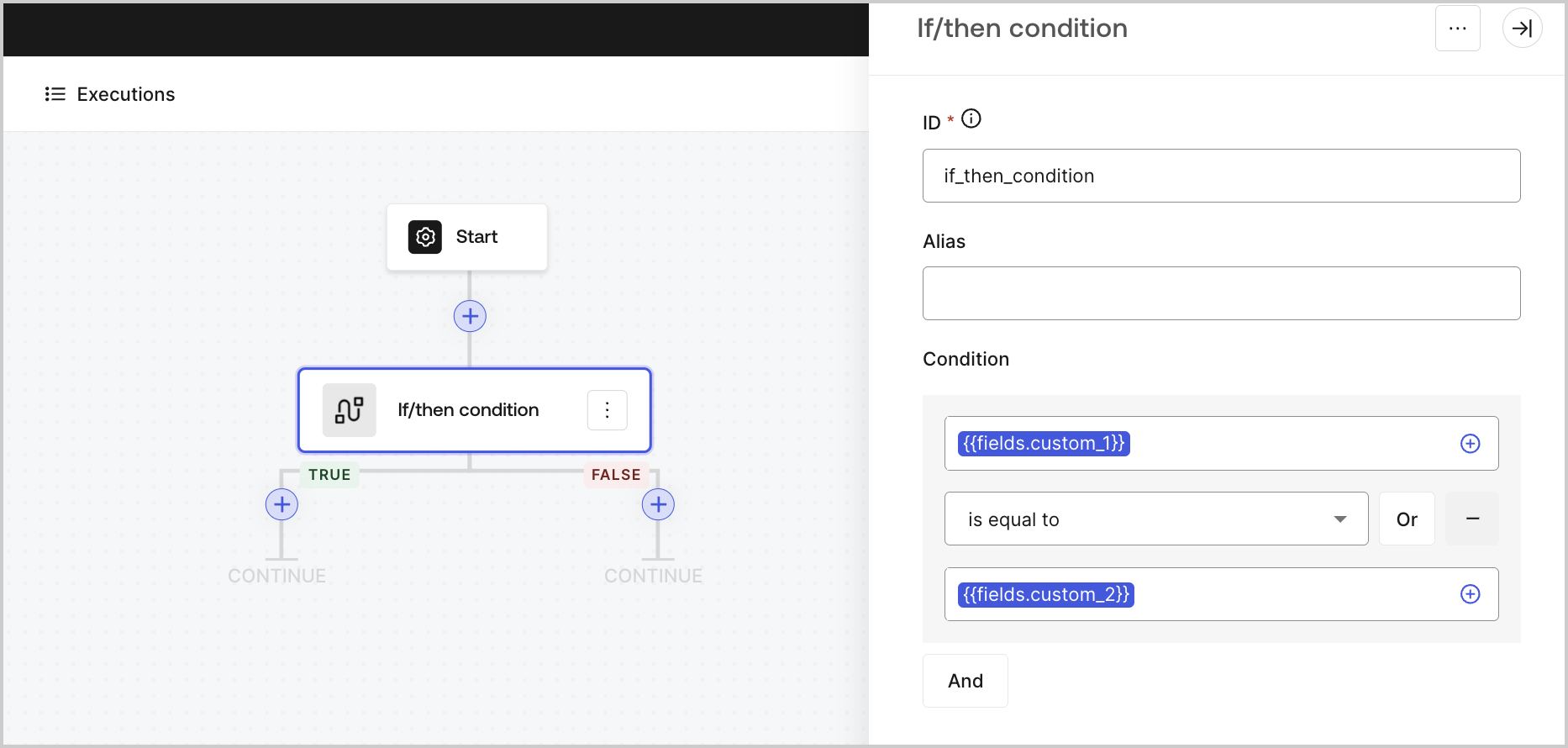
If/then condition
Adds a conditional action with True / False branches to customize the behavior of the flow based on input or properties.
| Parameter | Description |
|---|
| Condition | Customizable conditional action that triggers True / False branches depending on its result. You can use the AND / OR operators to nest different conditions. |
Output object
| Property | Type | Description |
|---|
result | Boolean | Returns a true or false response based on the condition result. |
Output object example
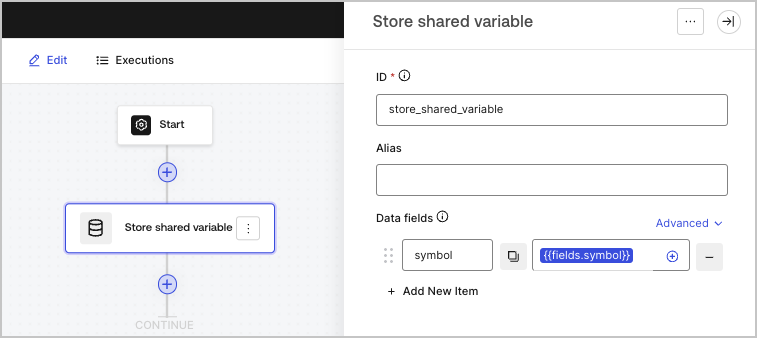
Store shared variable
Stores variables in a private state that is available in your form and across its flows.
You can reference these shared variables using {{vars.*}}. To learn more, read Variables.
| Parameter | Description |
|---|
| Data fields | The variables to be stored in a private state for use in your form and across its flow. Use key/value pairs to add variables. |
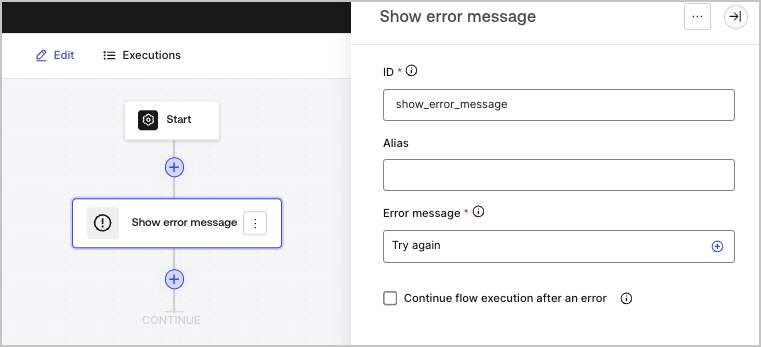
Show error message
Displays a custom error message to the user.
This flow action terminates the Flow. Any actions inserted after it won’t be executed.
| Parameter | Description |
|---|
| Error message | The error message to be displayed to the user. |
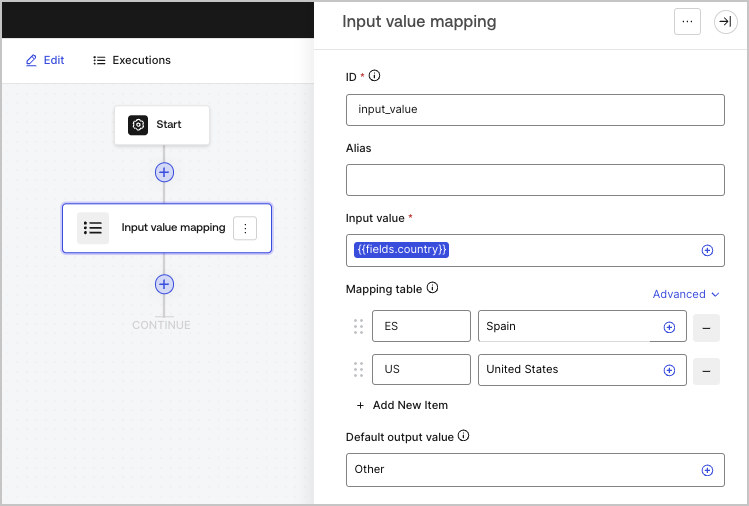
Maps an input variable to an output based on its values.
| Parameter | Description |
|---|
| Input value (required) | The input variable. |
| Mapping table | Map an input variable value an output. |
| Default output value | Sets a default output value to be used when no output value is set in the mapping table. |
Output object
| Property | Type | Description |
|---|
result | String | Returns the value mapped to an input. |
Output object example
{
"result": "Please enter a valid email address."
}