

 Authenticate
 Manage Users
 Customize
 Platform
auth0 strategy.
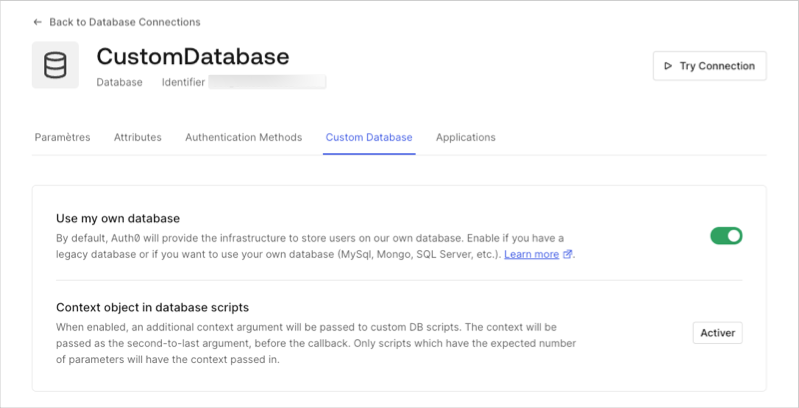
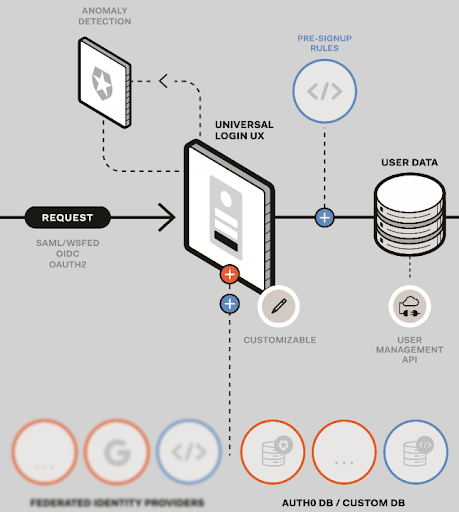
changePassword action script is called when a password change operation occurs for a user that resides in a legacy identity store.
Automatic migration
During automatic migration, Auth0 creates a new user in an identity store (database) managed by Auth0. Auth0 uses the identity in the Auth0-managed identity store when authenticating the user. For this to occur, Auth0 first requires the user to be authenticated against the legacy identity store, and only if this succeeds will the new user be created in the Auth0 managed database. Auth0 creates the new user using the same ID and password that was supplied during authentication. User creation in an automatic migration scenario typically occurs after the Login action script completes. We recommend that you do not attempt to delete users from a legacy identity store as an inline operation within the Login script, but instead as an independent process. This prevents accidental user deletion should an error condition occur during migration. With automatic migration, users remain in the legacy identity store and can be deleted or archived if required. A side-effect can occur where a user is deleted from Auth0 but remains in the legacy data store. In this case, a login made by the deleted user could result in either the Login or Get User script executing and the user again migrating from the legacy identity store. We recommend marking legacy store user identities as migrated before either Login or Get User scripts complete and prior to any eventual legacy store deletion to prevent the unintentional recreation of intentionally-deleted users.Size
We recommend that the total size of any action script not exceed 100 KB. The larger the size, the more latency is introduced due to the packaging and transport process employed by the Auth0 platform, and this will have an impact on the performance of your system. Note that the 100 KB limit does not include anynpm modules that may be referenced as part of any require statements.